
Since the 4 August update on campaigns, the unified calendar and multi-brand workspaces, CntX takes a major step forward: a redesigned Content experience, connected to the brand charter and multi-channel distribution.
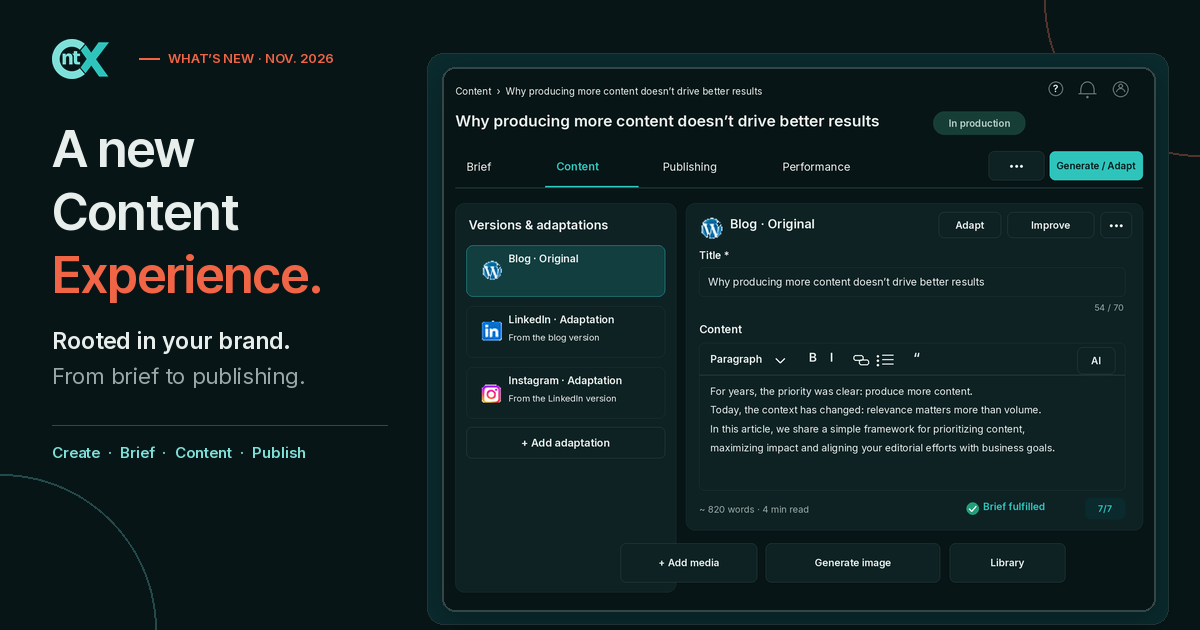
The goal is simple: start from an editorial intent, produce a primary piece and its declinations, generate on-brand copy and visuals, then schedule publishing — without switching tools at every step.
Content Experience V2: One Unified Path
Content creation and editing now follow a clear path:
Create → Brief → Content → Distribution
Teams can:
- start from scratch, from a reaction drawn from insights (voice of field, media watch, social listening), or by adapting existing content;
- select multiple channels at creation (blog, LinkedIn, Instagram, Facebook…);
- designate a primary content item and linked declinations;
- frame the brief (intent, funnel, audience, media plan, CTA);
- generate copy and visuals in one bundle pass;
- move to Distribution to schedule N ready publications;
- track status per destination (ready, needs connection, scheduled, published, failed).
Each version stays navigable in the same workspace: switching channel or format changes the editor without losing the shared brief thread.
Multi-Channel Without Unnecessary Duplication
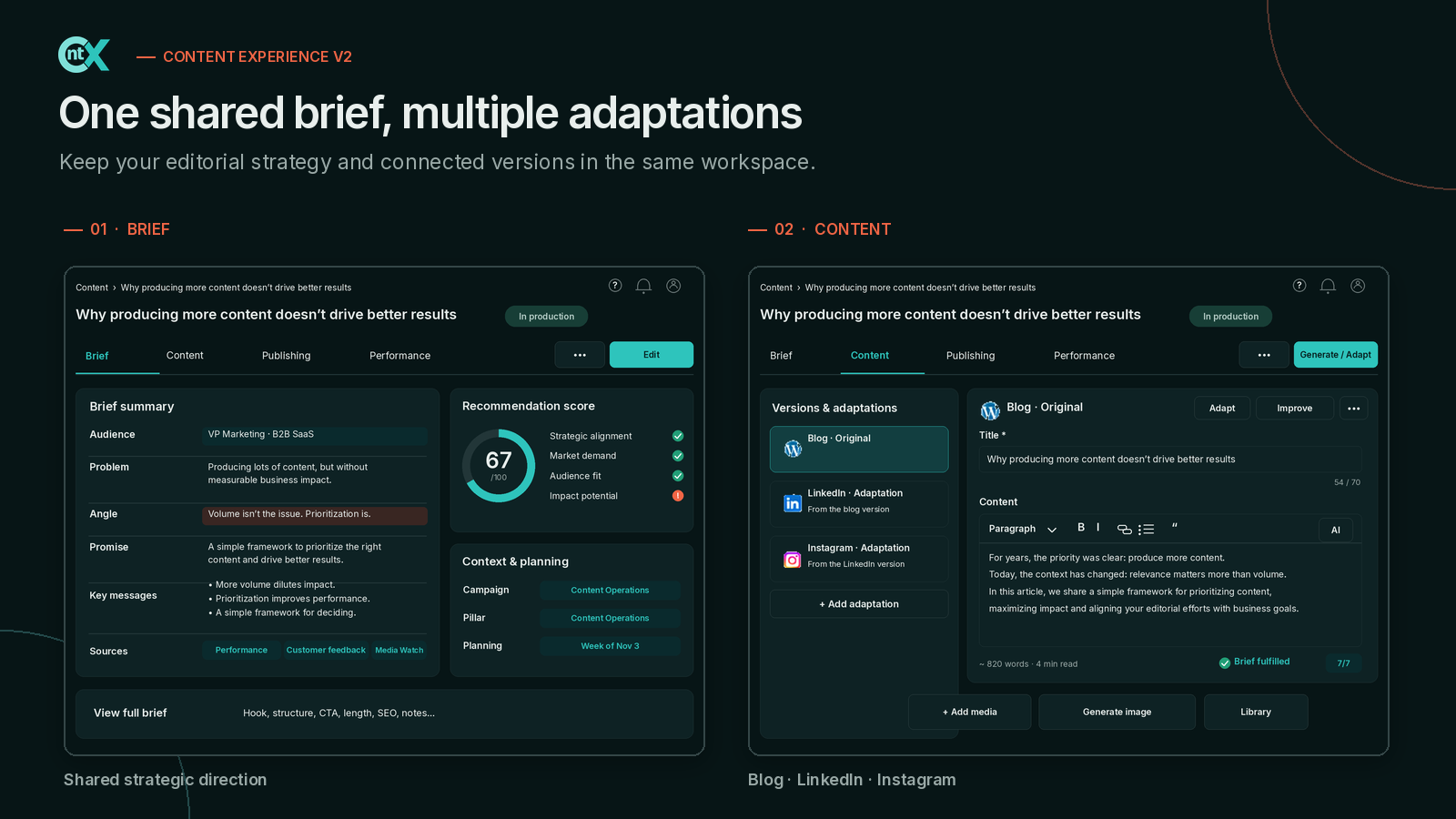
A multi-channel selection no longer creates an opaque collection. It produces one primary content item and explicit declinations.
In practice:
- the primary item carries the shared strategic framing;
- each declination keeps its own channel, format and destination;
- adaptation (e.g. Blog → LinkedIn) states the outcome clearly before confirmation;
- generate or adapt keeps the link to the brief and sources.
Teams immediately see what will be created, modified or derived — and on which channel.
AI-Generated Visuals Tailored to Your Brand Guidelines
Visual generation draws on the workspace’s active charter and the brief’s media plan.
CntX can:
- propose a shared art direction for the bundle;
- generate a blog featured image and inline illustrations;
- compose LinkedIn / Instagram / Facebook carousels aligned with the charter;
- respect workspace preferences (AI, stock, formats per channel);
- keep durable, organisation-isolated media through to publishing.
LinkedIn, Instagram and Facebook previews show the render in the relevant network chrome before distribution.
Distribution and Team Review
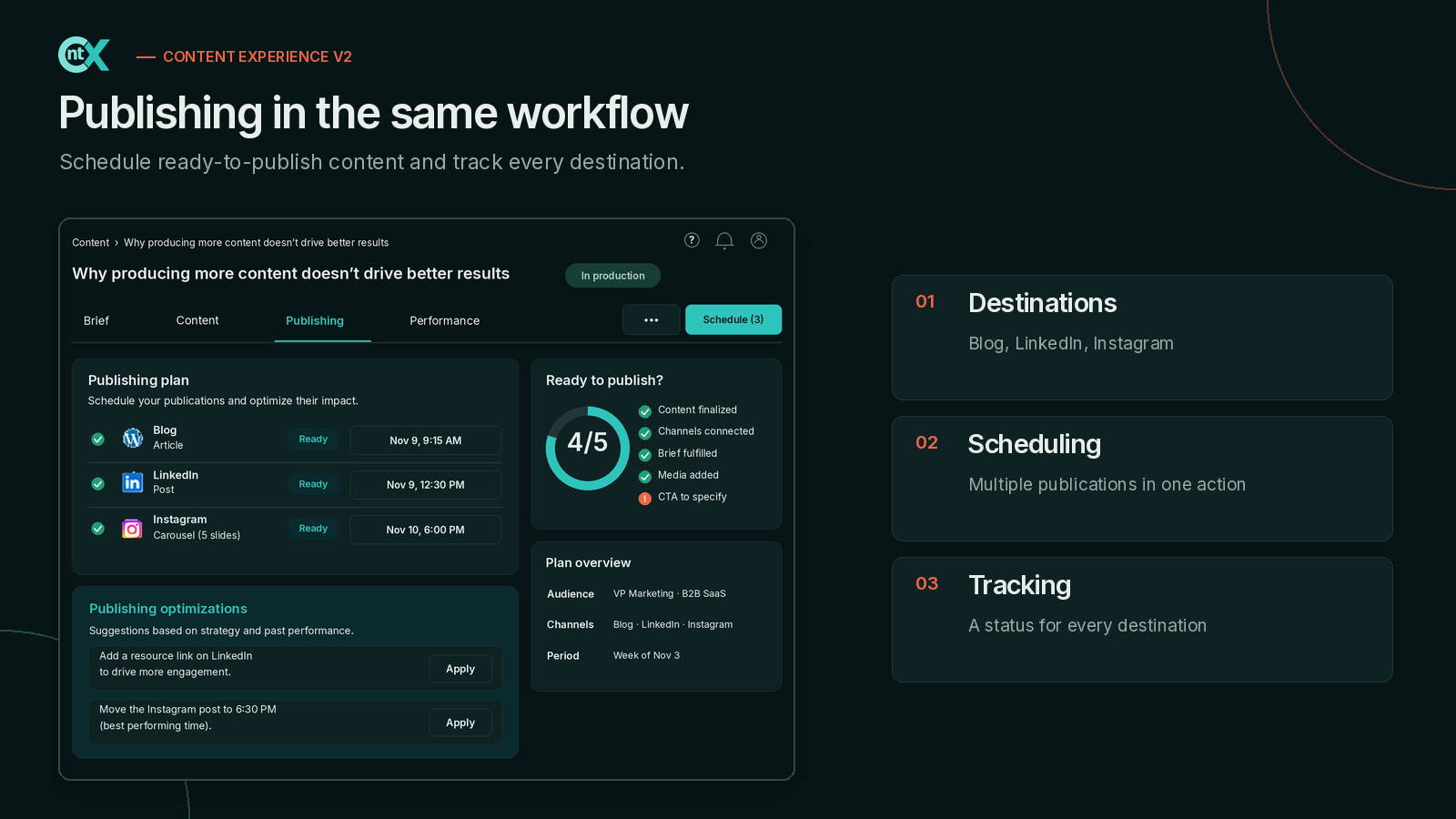
The Distribution tab brings destinations and publish actions together.
Teams can:
- schedule multiple publications in one action;
- connect a missing account without leaving the flow;
- retry a failed destination without restarting the whole batch;
- require approval when a reviewer is assigned;
- automatically invalidate approval as soon as an editorial change is made.
After scheduling, users stay on Distribution: each card shows the time and status, without an unnecessary detour.
Your Brand Guidelines, Built into CntX
Every workspace can rely on a structured brand charter, built from the website and complementary sources.
Teams can:
- automatically capture the website preview and visual assets;
- upload reference documents (guidelines, PDFs, assets);
- let CntX analyse and structure the charter (colours, logos, typography, themes);
- review differences before validation;
- publish an active charter used by content, carousels and exports.
They guide AI visual generation: every image, carousel or illustration respects your colours, logos and typography.
LinkedIn, Facebook, Instagram and CMS
Social publishing now extends beyond LinkedIn.
Teams can:
- connect Facebook Pages and professional Instagram accounts;
- publish or schedule image, carousel or multi-image posts depending on the channel;
- prepare a LinkedIn document carousel (PDF) when the format requires it;
- track status and insights;
- also publish to WordPress and Webflow, with better media handling.
Personal vs company account routing is better supported at workspace level.
CntX Available from ChatGPT and Claude (MCP)
After secure activation, a compatible assistant can read company / workspace context, consult calendar and campaigns, propose content or brand reviews, and prepare or publish according to granted permissions — using available performance signals.
CntX context is no longer confined to the web UI.
More Demanding Editorial Planning
Planner Agent is the default mode. Before briefs enter the calendar, each one is checked: vague topics, repeated angles, or content poorly aligned with the customer journey stage (awareness, consideration, conversion) are filtered or corrected. Editorial memory, article → social derivation, targeted regeneration and daily Google Search Console sync strengthen plan quality and freshness.
On campaigns, bulk approve-and-generate, slot provenance and targeted regeneration smooth review within the workflow introduced in August.
What This Changes in Practice
| Before | Now |
|---|---|
| Creation and editing fragmented by channel | Create → Brief → Content → Distribution path |
| Hard-to-follow declinations | Explicit primary content + declinations |
| Visuals weakly anchored in the brand | AI-generated visuals tailored to your brand guidelines |
| Channel-by-channel distribution | Schedule N destinations in one screen |
| Brand guidelines often outside the platform | Validated, usable charter inside CntX |
| Social mainly LinkedIn | LinkedIn + Facebook + Instagram (+ CMS) |
| Context limited to the UI | Access via ChatGPT / Claude (MCP) |
| Uneven plan quality | Planner Agent + brief quality checks before the calendar |
A Platform That Connects Brand, Content and Distribution
This update brings CntX closer still to its vision: a single environment where brand context, editorial decisions, production and publishing reinforce one another.
Create once, declinate with intent, generate on-brand content, and distribute on the chosen channels — without multiplying files, tools and handoffs.
Open the product and explore the latest changes in your workspace.